Invoicing
Free invoicing, and the reminders come from us.
Write an invoice on your phone in about a minute. Your customer opens it, picks how to pay, and pays. If the date passes, Dicopay does the chasing instead of you.
No card. No monthly fee. No limit on how many invoices you send.
Dicopay's invoicing app is live in Sweden today. Accounting exports and BankID onboarding described here apply to Sweden.
What you can send
One app for the paperwork around a job.
Most small businesses run this on three different tools and a phone camera. Dicopay puts it in one place, and none of it costs anything.
Invoices
An invoice carries line items, quantities, tax, a due date, and your logo. Send as many as you want, to as many customers as you want.
Contracts and e-signature
Agree on the job in writing before you start it. Your customer signs on their phone, and the signed copy sits with the invoice.
Time reporting
Log hours as the week goes on, then turn them into invoice lines. You stop reconstructing a month of work from memory on a Sunday night.
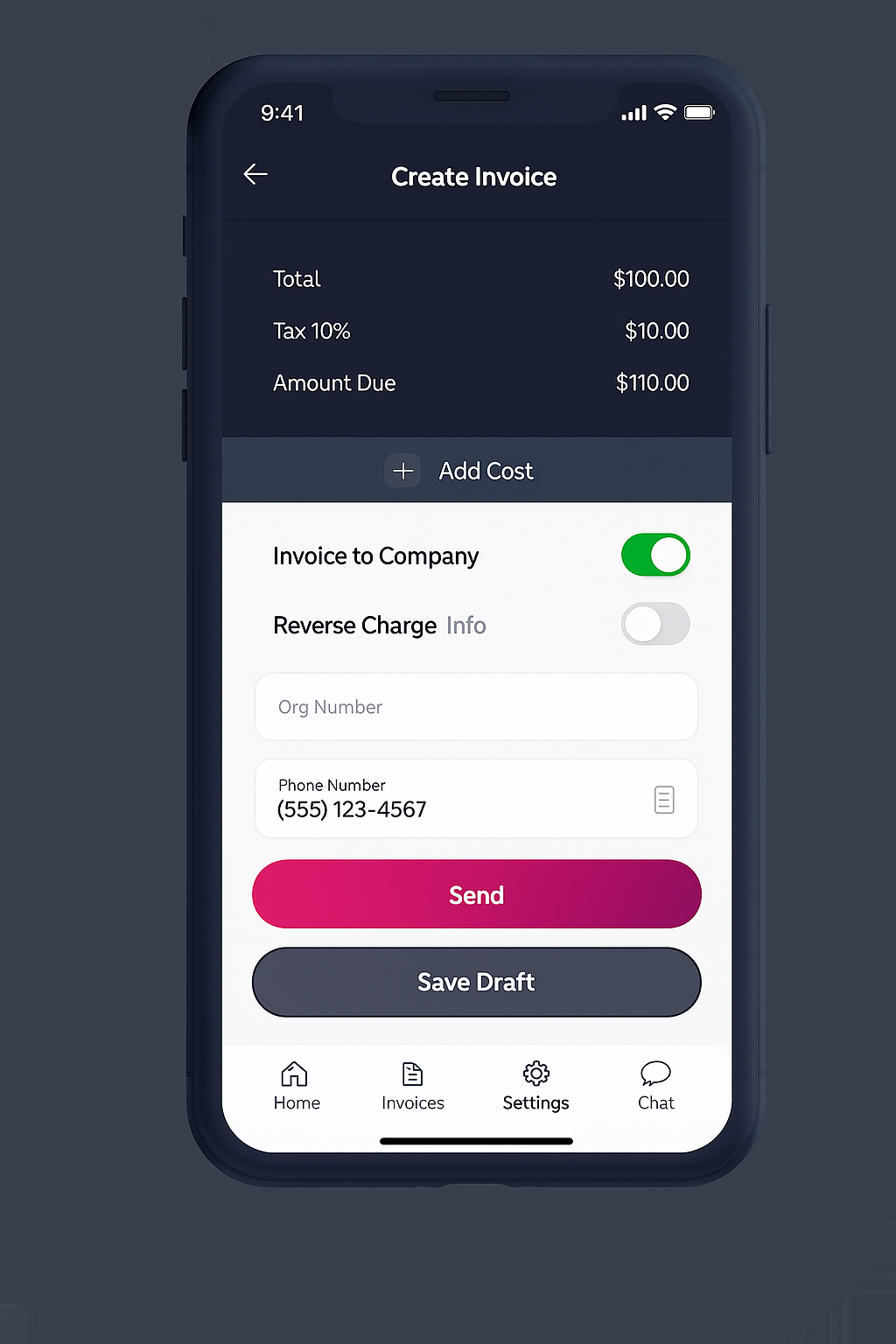
Sending one takes about a minute.
Pick the customer
Saved customers come back with their details filled in. A new one takes a name, an email or a phone number, and an address.
Add the lines
Type the work, or pull it in from your logged hours. Tax and the total calculate as you go, so you are not doing arithmetic in a notes app.
Send it
It goes out by email or text message. From that point the invoice has a status you can look up instead of a memory you have to trust.
What your customer sees
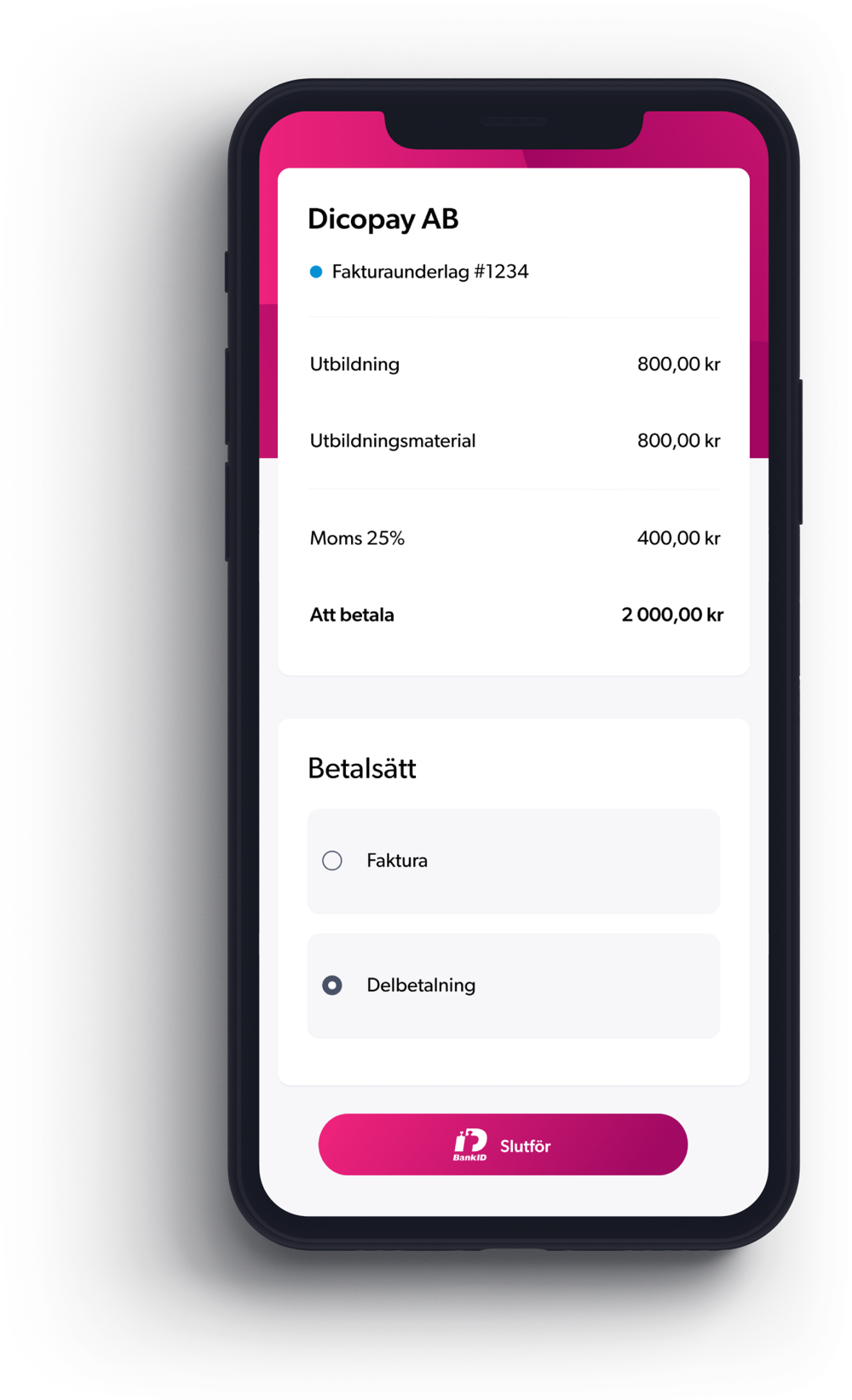
They open a link. That is the whole experience.
Your customer does not need an account, a password, or an app. They tap the link, read the invoice, and choose how they want to pay it.
Nothing about this is a hurdle for them, which is the point. The faster the invoice is understood, the sooner it stops being your problem.
Three ways they can settle it.
Pay in full
They pay the whole amount now. Most customers do this when the invoice arrives while they still remember the job.
Pay on invoice, up to 60 days
They take the terms they need, up to 60 days. You keep the customer instead of arguing about payment dates.
Pay in installments
They split the amount into parts. A larger job stops being a single number a small customer has to find in one go.
After you hit send
You are not the one writing the polite second email.
A US invoice takes 28.8 to 29.3 days of payment terms plus 8.5 to 9 days of lateness, so 37 to 38 days in total. That figure is a Dicopay calculation from Xero Small Business Insights US, 2026. Reminders go out on that whole timeline without you touching anything.
Before the due date
Your customer gets a reminder while the invoice is still current, with the payment link in it. Plenty of late invoices are late because somebody forgot, and a note in the right week fixes that.
After the due date
If the date passes, the reminders keep going and they come from Dicopay on your behalf. You are not the person nagging your own customer for money you have already earned.
Your books, in Sweden
Invoice data exports to Visma, Bokio, Hogia, and SpeedLedger, so your accountant gets the month in the format they already work in. You are not rekeying invoices into a spreadsheet at the end of the quarter.
Onboarding in Sweden uses BankID and takes about a minute. There are no forms to post, no sales call, and no waiting for an approval email before you can send your first invoice.
Price
Free. Not a trial, not a first-ten-invoices offer.
Invoicing, contracts, e-signature, time reporting, and automatic reminders cost nothing. There is no monthly fee, no seat fee, and no card to enter. Nothing switches off after 30 days.
Here is how that works. Every invoice you send to another business or a public body is also checked for a financing offer from independent regulated lending partners, and if you ever take one, the partner pays us a referral fee. Dicopay is not a lender. Eligibility, pricing, and terms are set by the funding partner and disclosed to you before you accept. If you never want it, ignore it, and the invoicing stays free anyway.
FAQ
Questions about the invoicing itself.
Is there a limit on how many invoices I can send?
No. Send one a month or forty a week, to one customer or a hundred. The invoicing, the contracts, the e-signature, the time reporting, and the reminders are free at any volume, with no card on file and no monthly fee.
Does my customer need to create an account?
No. They open the invoice from a link, read it, and choose to pay in full, on invoice up to 60 days, or in installments. There is no signup, no password, and no app for them to install.
Can I send a contract and get it signed?
Yes. Contracts and e-signature are included at no cost. You send the agreement, your customer signs it on their phone, and the signed copy stays attached to the job so you are not searching an email thread for it later.
Will this fit my accounting software?
In Sweden, invoice data exports to Visma, Bokio, Hogia, and SpeedLedger. Your accountant works in the file they already know, and you are not copying numbers by hand.
Easy invoicing, fast cash.
Send your first invoice today and let the reminders run themselves. It costs nothing, and it stays that way.
Start invoicing for free No card. No monthly fee. No limit on invoices.